TF6420 - TwinCAT 3 Database Server | Installation
Remember that this page isn’t affiliated with BECKHOFF and MUST NOT be used as official documentation. For that, please refer to the official BECKHOFF webpage.
All content is free, and the main goal is to provide TUTORIALS. If you plan to use ANY of it in production or real applications, it MUST be thoroughly tested before implementation (use the code at your own risk).
For TF6420 TwinCAT 3 Database Server, BECKHOFF Infosys contains comprehensive documentation. I highly encourage you to read it thoroughly!
Instalation
TwinCAT Database Server is not installed by default with TwinCAT XAE/XAR. You must install it separately using the TwinCAT Package Manager for systems with build 4026 or higher, or the MSI (.exe installer) for builds 4024 or lower.
For >= 4026.0 systems
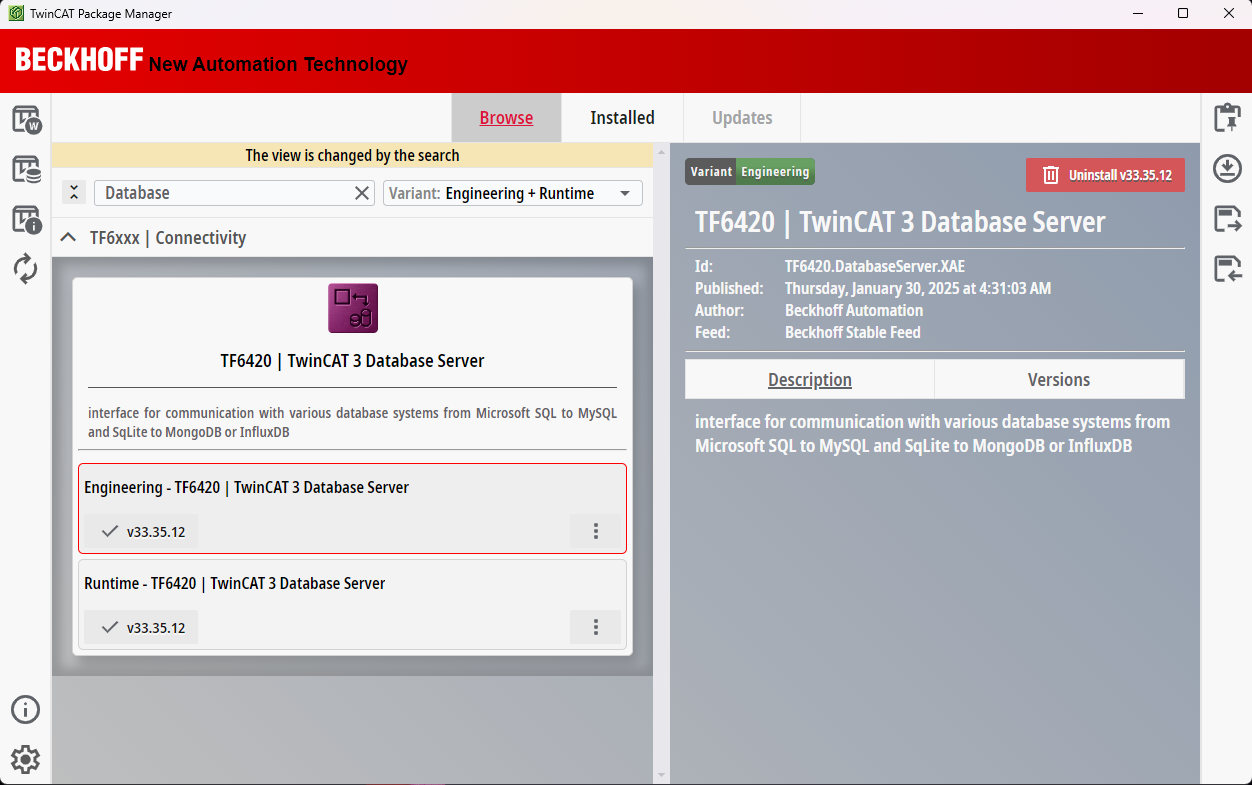 TwinCAT Database Server location on TwinCAT Package Manager
For <= 4024.xx systems
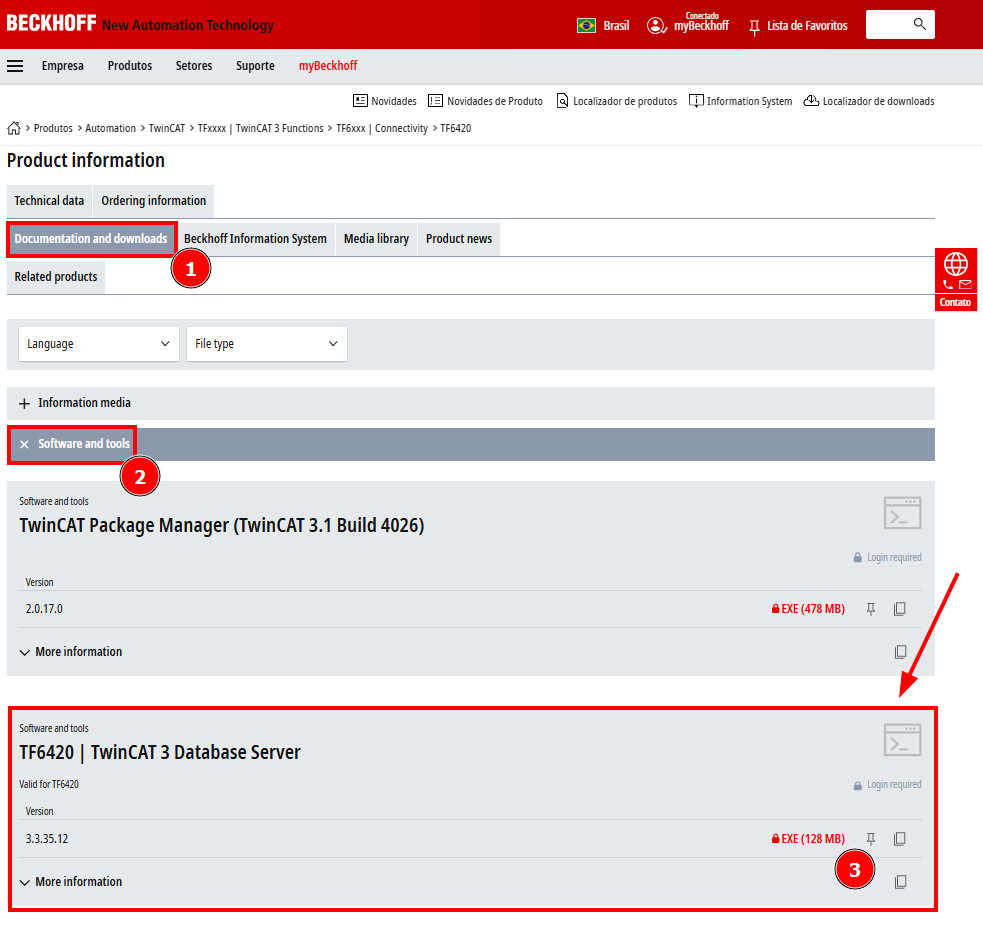 TwinCAT Database Server MSI Installer Website Location
 TwinCAT Database Server MSI Installer
TwinCAT Database Server Process
The TwinCAT Database Server service starts automatically along with the TwinCAT system on the control computer. It acts as the communication link between the PLC and the database. You can find it in the Task Manager under the Processes tab, as shown below:
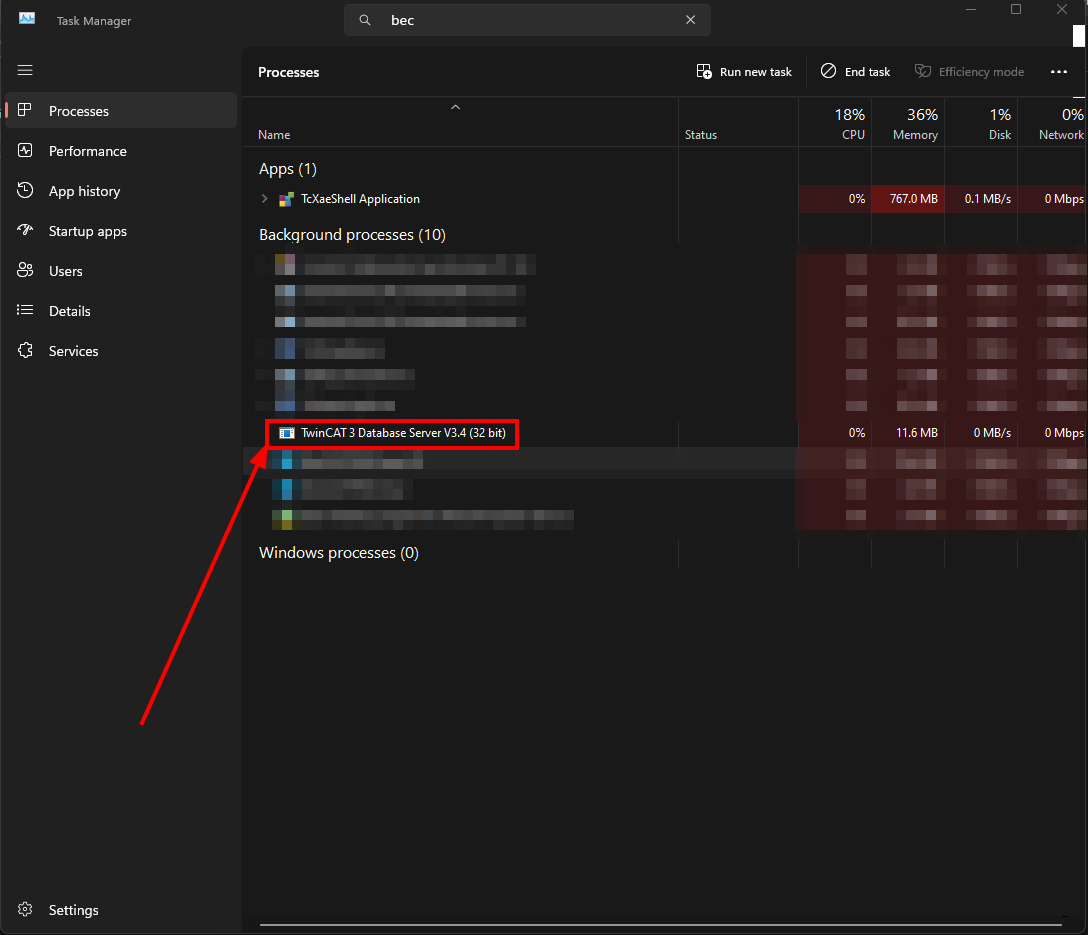 TwinCAT Database Server Windows Process